Repeated paid clicks
A concentrated click pattern may deserve review when campaign, time, network, and outcome context agree.
Signal—not verdict

Click-fraud protection · Traffic quality · Visitor intelligence
Investigate suspicious paid traffic, understand the measured visitor journey, and move from evidence to governed protection—without hiding uncertainty behind a single score.
Trust without inflated claims
One connected operating model
ClickGuardIQ connects three jobs that are too often split across disconnected tools.

Investigate suspicious clicks and move reviewed evidence through policy-controlled protection workflows.
Explore
Compare eligible campaigns, sources, keywords, devices, and locations with coverage and confidence in view.
Explore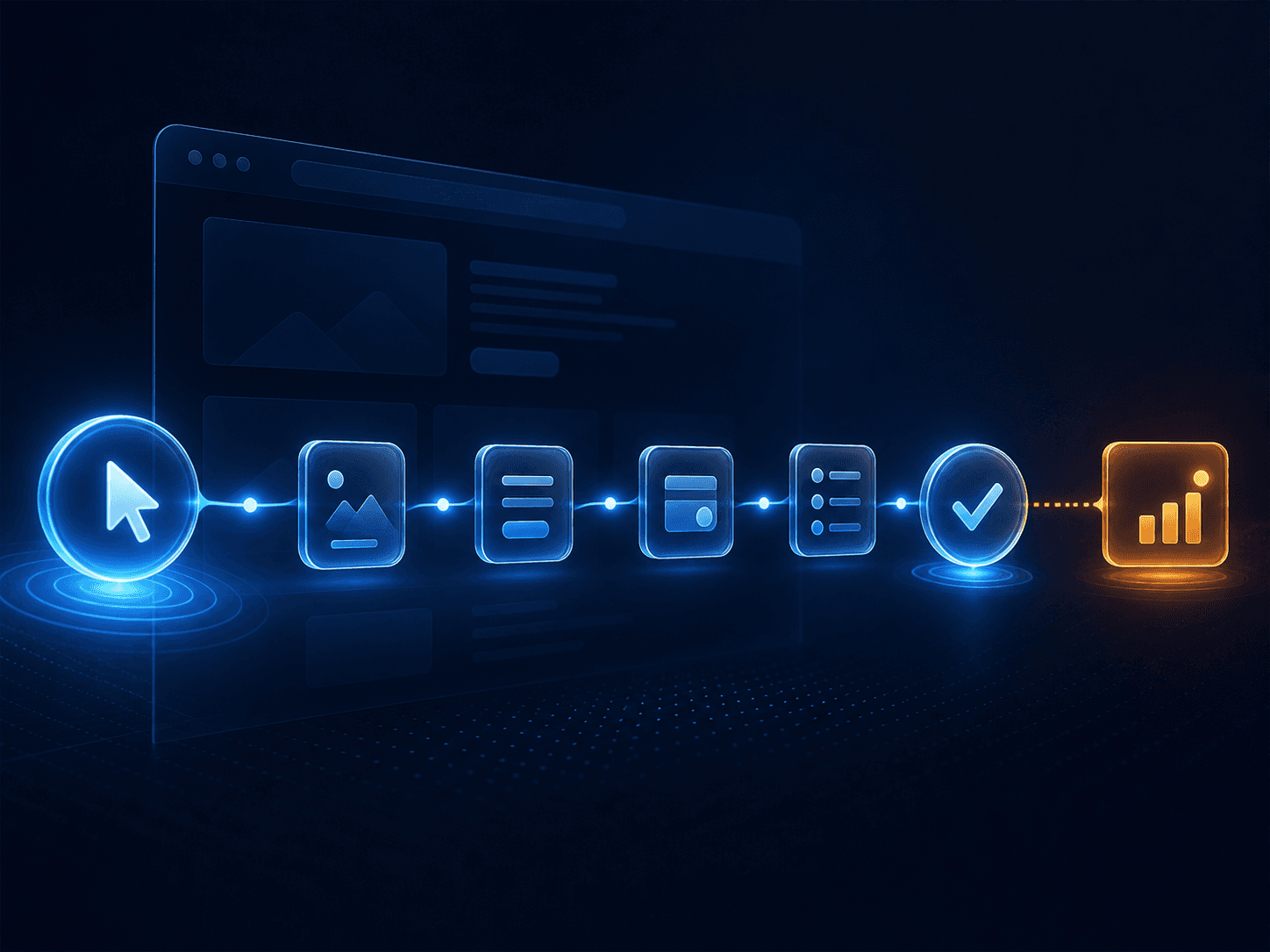
Connect acquisition, visitor activity, conversions, lead context, risk, and privacy-safe session evidence.
ExploreRecognize the pattern
Review connected patterns across campaigns, clicks, journeys, leads, outcomes, and measurement health. Each pattern begins an investigation—it does not finish one.
A concentrated click pattern may deserve review when campaign, time, network, and outcome context agree.
Signal—not verdictUnnatural timing or navigation can contribute evidence without turning one behavior into a verdict.
Signal—not verdictProxy, hosting, and shared-network signals need history and business context before action.
Signal—not verdictUnexpected changes across keywords, placements, devices, and locations can reveal a cohort to inspect.
Signal—not verdictHigh acquisition activity with weak journey or CRM outcomes may indicate traffic-quality problems.
Signal—not verdictBroken tags, consent changes, stale connections, and attribution shifts can resemble fraud if health is hidden.
Signal—not verdictEvaluate the operating model
Feature lists can show what a product calls each screen. These questions expose whether the underlying workflow helps people make accountable decisions when data is partial, risk is uncertain, or an external action needs verification.
A useful system should let an operator move beyond a headline score. ClickGuardIQ keeps eligible signals, reason codes, source context, calculation versions, confidence, and limitations available for investigation. That structure helps a team ask why an event was classified before deciding what the classification should change.
Review explainability →Missing events, broken tags, delayed provider data, consent changes, and incomplete attribution can distort a traffic-quality view. Tracking readiness therefore stays separate from fraud risk. When coverage is unavailable or stale, the interface should say so instead of displaying a reassuring zero.
Explore tracking health →A recommendation is not the same as a provider action. An attempted action is not the same as an applied or verified state. ClickGuardIQ preserves those transitions, including failure and reversal history, so teams can distinguish intended policy from the outcome confirmed by a supported provider.
See action verification →Agencies, advertisers, analysts, and operators need different scopes. Organization, client, website, role, and permission boundaries prevent one portfolio view from becoming unrestricted access. Sensitive recordings, visitor evidence, exports, and protection controls should remain purpose-limited and auditable.
Review the security model →Implemented product evidence
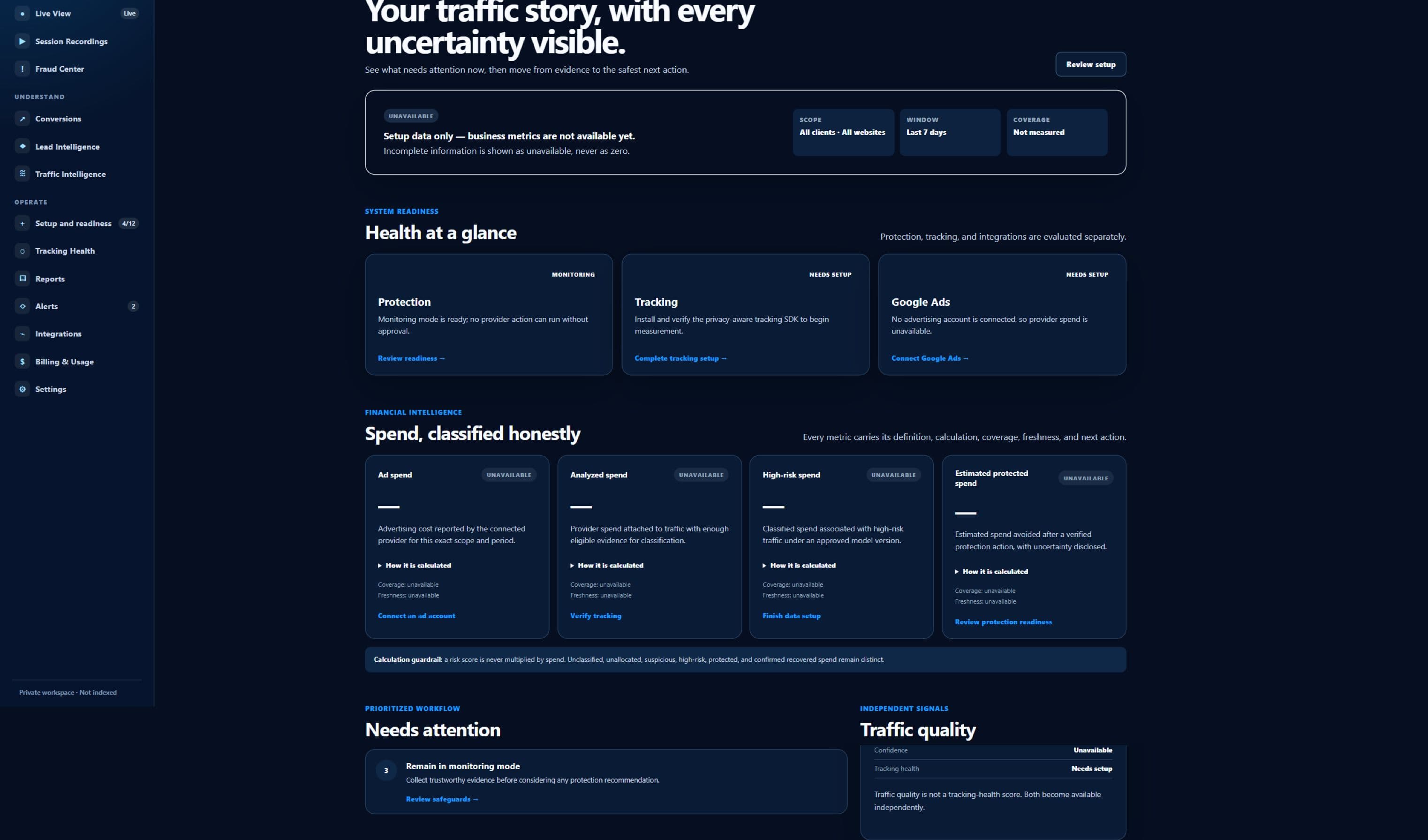
The Command Center is designed to put readiness before interpretation. It separates tracking, provider connectivity, protection state, coverage, freshness, and business metrics so an incomplete setup cannot quietly become a confident performance story.
This sanitized current capture uses a first-run state with no customer dataset. Unavailable metrics remain unavailable; they are not replaced with sample savings, fabricated fraud totals, or artificial conversion results. That is the same evidence standard the public website uses for product claims.
A complete investigation workspace
Start with what needs attention, move into the traffic and visitors behind it, and keep every decision connected to provenance, confidence, and time.
View the full platform
See readiness, quality, impact, and priority actions.
Investigate website-scoped identity and journey evidence.
Watch eligible activity arrive with freshness visible.
Review privacy-safe recordings for a defined reason.
Separate incidents, investigations, and action history.
Preserve occurrence, counting, attribution, and qualification.
Keep intent, lead score, qualification, and risk distinct.
Know whether the data is ready to trust.
Create your account, choose the right plan, and complete guided setup.
Explainability by design
ClickGuardIQ is designed to preserve eligible evidence, model and rule versions, confidence, reason codes, decisions, actions, verification, and reversal history.
Explore the methodology
Clicks, sessions, visitors, and source events retain their own grain.
Risk uses eligible multi-signal evidence and visible confidence.
Operators review reasons, provenance, history, and limitations.
Attempted protection remains separate from applied and verified state.
A more accountable standard
This is a comparison of operating approaches, not a claim about every competing product. It shows the distinctions ClickGuardIQ is designed to preserve across measurement, investigation, visitor context, and provider action.
| Decision area | Opaque verdict workflow | ClickGuardIQ evidence-led model |
|---|---|---|
| Risk interpretation | One score is treated as the conclusion. | Signals, eligibility, confidence, reasons, and alternative explanations remain reviewable. |
| Measurement gaps | Missing or delayed data can look like normal performance. | Coverage, freshness, acceptance, and tracking health are shown as separate operational states. |
| Visitor context | Click, session, conversion, and lead views stay disconnected. | Website-scoped journeys connect eligible evidence while preserving source and privacy boundaries. |
| Protection workflow | A block recommendation may be reported as a completed result. | Recommended, attempted, applied, verified, failed, and reversed states remain distinct. |
| Operational correction | Past decisions are difficult to reconstruct or undo. | Versioned evidence and an audit trail support review, correction, and governed reversal. |
Need a feature-by-feature evaluation? Use the independent criteria in our click-fraud protection software guide, then confirm current ClickGuardIQ availability in the plan table.
Provider and integration coverage
ClickGuardIQ publishes readiness and operational health honestly. Additional advertising providers appear only after their scope, permissions, action behavior, and verification path are approved.
View the integration directoryConsent-aware event collection with accepted-event and freshness checks.
Planned campaign context and governed protection with explicit capability checks.
A website-scoped deployment path with consent sequencing and health confirmation.
Property-safe setup with privacy controls, exclusions, and operational health.
Scoped, versioned interfaces and observable signed delivery before public availability.
Designed for the way teams operate

Portfolio visibility and delegated access without crossing client boundaries.
Explore agencies →Campaign context, traffic quality, and governed protection in one investigation path.
Explore paid search →Connect acquisition and journey evidence to lead quality and CRM context.
Explore lead generation →Start with the right plan
Create a ClickGuardIQ account, verify your identity, configure your workspace, and choose Starter, Growth, or Agency through secure checkout. Enterprise remains sales-assisted.
Use a verified email address to create your secure ClickGuardIQ account and establish the identity responsible for the workspace.
Add the website and complete the guided ownership, tracking, conversion, and Google Ads readiness steps required for your workflow.
Select Starter, Growth, or Agency according to the websites, users, tracked clicks, recordings, and collaboration capacity you need.
Confirm the subscription through secure embedded checkout. ClickGuardIQ activates access from signed payment events and keeps provider authorization separate.
Review the plan and capability table before creating your account. A subscription begins only after checkout is completed; provider actions still require the relevant connection, permissions, and policy controls.
Get StartedQuestions before access
Understand the current product boundary, evidence model, privacy posture, and integration status before getting started.
ClickGuardIQ connects paid-traffic investigation, measured visitor journeys, traffic quality, lead and conversion context, and governed provider actions in one operating model.
No. Signals contribute evidence. Eligibility, coverage, confidence, alternative explanations, investigation history, and action policy remain visible before a decision is made.
Recordings are supporting evidence, not an automatic verdict. Their availability depends on an approved purpose, applicable consent, masking, access controls, sampling, and retention policy.
The integration directory publishes each capability as planned, connected, healthy, delayed, or unavailable. A configured connection is never presented as healthy until real delivery is verified.
Yes. Create an account, choose Starter, Growth, or Agency, and complete secure checkout. Technical workspace setup continues inside the dashboard. Enterprise remains sales-assisted.
You will verify your account, choose a plan, and complete secure checkout. Subscription access is activated from verified payment events, then technical setup continues inside the dashboard.
The operating model is designed to preserve versions, decisions, action states, verification, and reversal history. Actual correction and reversal options depend on the supported workflow, provider capability, permissions, and the state that was verifiably applied.

Evidence before certainty