Color theme
Sign inRequest beta access

Connected workflow

Planned integration

Add website tracking with a clear WordPress setup path.

The planned WordPress integration will connect property-specific tracking, consent settings, exclusions, and health checks without claiming readiness before validation.

Sanitized beta interface — no customer data
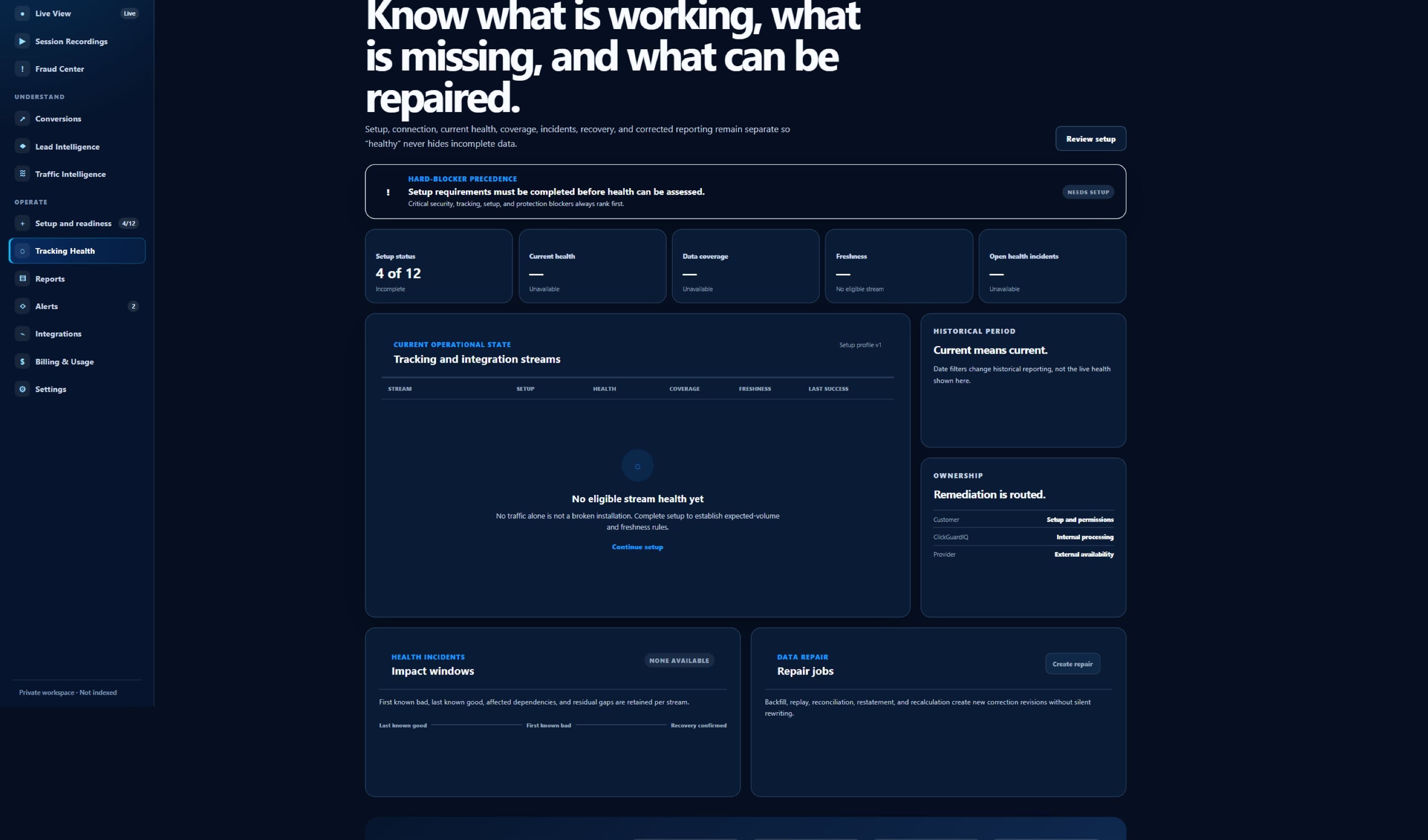
Sanitized ClickGuardIQ Tracking Health workspace showing its current diagnostics state.
Tracking HealthCurrent beta interface captured without implying that a customer property has been tested.

Capability before connection

WordPress Integration is described by capability and verified state—not by logo presence.

The page separates what ClickGuardIQ documents or supports from what requires credentials, provider behavior, customer configuration, and observed data flow.

The integration job

The integration is intended to install and configure ClickGuardIQ for an approved WordPress website while keeping property identity, environment, consent, exclusions, recording controls, version, diagnostics, updates, and removal understandable. This page is designed for WordPress site owners, administrators, developers, agencies, privacy owners, marketers, and support teams responsible for reliable website tracking. Its current public status is planned integration and property-safe installation path, which remains visible beside the setup and operational workflow.

The provider or destination boundary is the customer controls its WordPress site, hosting, plugins, themes, caching, consent tools, users, security, and release process; WordPress and third-party components control their own compatibility and changes. A directory listing, plan entitlement, configured credential, successful authorization, enabled toggle, or published tag is not evidence that the complete workflow is connected, healthy, current, or verified.

  • Current status: planned integration and property-safe installation path
  • Audience: WordPress site owners, administrators, developers, agencies, privacy owners, marketers, and support teams responsible for reliable website tracking
  • Provider boundary: the customer controls its WordPress site, hosting, plugins, themes, caching, consent tools, users, security, and release process; WordPress and third-party components control their own compatibility and changes

Scope and permissions travel with the connection

Installation must bind one verified website and environment to the intended ClickGuardIQ property, plugin and SDK versions, configuration, allowed events, consent behavior, masking, exclusions, sampling, and authorized WordPress administrators. Credentials, tokens, secrets, account identifiers, client or website assignments, capability grants, consent, and permitted fields must remain scoped to the minimum authorized purpose.

The setup should make consent, Do Not Track, purpose, recording eligibility, masking, field exclusions, sampling, retention, and deletion implications visible before activation rather than hiding them behind a generic enable switch. Setup, refresh, permission change, disconnection, administrative access, sensitive field use, delivery attempts, and other material operations should produce attributable audit history without exposing secret values in public pages, routine logs, alerts, or exports.

Operational state is evidence

Operational health should distinguish plugin activation, website configuration, frontend SDK load, consent state, event capture, network delivery, validation, durable acceptance where configured, processing, current version, conflict, and reporting freshness. Connection health should identify the latest meaningful source and destination state, the time it was observed, expected freshness, current delay, error or limitation, retry or recovery status, and affected capability.

An installed or activated plugin does not prove the correct website is mapped, frontend capture is permitted, events are accepted, every theme or plugin is compatible, coverage is complete, or data is current. When the product cannot verify a field, permission, data flow, provider response, downstream receipt, application, or reversal, the honest state is planned, configured, delayed, degraded, failed, unavailable, unknown, or externally controlled—not connected or successful by inference.

Capability model

What a responsible wordpress integration path must preserve.

Capabilities are stated as bounded product and operational behaviors. They do not imply partnership, universal provider support, live customer data, or guaranteed outcomes.

Verify the property mapping

Bind WordPress site URL and environment to the approved ClickGuardIQ website with ownership, canonical-domain, multisite, staging, migration, and duplicate-installation checks.

Expose privacy configuration

Make consent integration, Do Not Track, masking, exclusions, recording, sampling, optional fields, purpose, and retention-related controls understandable to authorized administrators.

Load the supported SDK safely

Use a versioned asynchronous loader, stable initialization, compatibility checks, bounded performance, cache awareness, duplicate prevention, and clear frontend failure diagnostics.

Support governed custom events

Document supported WordPress or commerce events, schema and field rules, privacy boundaries, identity and deduplication behavior, source provenance, and plugin dependencies.

Verify event acceptance

Follow eligible frontend activity through consent, capture, queue, delivery, validation, durable acknowledgement where configured, processing, Tracking Health, and expected freshness.

Manage updates and removal

Retain plugin and SDK versions, configuration changes, compatibility, updater, migration, rollback, deactivation, uninstall, credential cleanup, in-flight work, retention, and audit history.

Operational situations

Use explicit state when setup, delivery, and provider behavior disagree.

These scenarios focus on failure visibility, safe recovery, scope, and verification rather than presenting a frictionless fictional connection.

The plugin is active but no data appears

Check property mapping, environment, frontend output, cache, consent, blockers, theme or plugin conflicts, SDK initialization, capture, delivery, validation, processing, and freshness.

A staging site sends production data

Stop the incorrect mapping, identify property and environment configuration, affected event scope, caches and duplicates, correct the deployment, and preserve the incident and remediation history.

A consent plugin changes behavior

Revalidate default and update states, category and purpose mapping, optional capture, masking, recording, geographic rules, denied state, coverage, and downstream interpretation.

An update creates a theme conflict

Expose the affected version, pages, scripts, errors, and health state; pause or roll back safely, preserve configuration, and validate the corrected compatibility before reactivation.

Connection lifecycle

Five stages of a governed wordpress integration workflow.

Every stage retains account or destination scope, capability, actor or system, time, status, limitation, and the evidence required to progress or recover.

  1. 01

    Review site and privacy prerequisites

    Identify WordPress and hosting environment, site and canonical domains, multisite, staging, consent system, cache, security, themes, plugins, events, fields, and owners.

    The integration is planned; a production plugin, marketplace listing, universal compatibility, and automatic update path must not be assumed.
  2. 02

    Install and bind the property

    Use the supported package and minimum configuration to map the verified website and environment, SDK version, consent behavior, events, masking, exclusions, sampling, and administrators.

  3. 03

    Validate frontend behavior

    Check page loading, duplicate prevention, consent sequence, allowed events and fields, theme and plugin compatibility, cache, performance, browser diagnostics, and prohibited capture.

  4. 04

    Confirm accepted evidence

    Verify capture, event identity, delivery, validation, durable acknowledgement where configured, processing, tracking health, coverage, and current reporting freshness.

  5. 05

    Operate, update, and remove

    Monitor versions, conflicts, website migration, privacy changes, health and delays; test upgrades, support rollback, deactivate safely, remove access, and apply retention rules.

Current readiness

See what is available, beta, external, limited, or planned.

Public status describes the current product boundary and the external conditions still required; it is not inferred from an integration name or entitlement.

Tracking foundationavailable

Available browser SDK

The versioned collection SDK and installation documentation provide the underlying capture contract but do not constitute a WordPress plugin.

WordPress pathplanned

Planned integration

Plugin packaging, administration, consent compatibility, events, updates, diagnostics, removal, and supported environment matrix require implementation and validation.

Site ecosystemexternal

Externally controlled compatibility

Hosting, WordPress core, themes, plugins, caches, consent systems, security tools, browsers, and customer changes affect behavior.

Installation prooflimited

No customer site asserted

No live WordPress installation, accepted event stream, consent compatibility, coverage, performance, ecommerce event, or customer outcome is presented.

Integration quality review

Evaluate wordpress integration beyond a connected badge.

The comparison describes two operating approaches and does not claim that every other integration product uses the weaker model.

Evaluate wordpress integration beyond a connected badge.
ComparisonActivate-and-assume pluginProperty-safe verified installation
PropertyActivates one configuration across production, staging, multisite, migrations, and domains.Binds verified site, canonical and alternate domains, environment, multisite scope, property, version, owners, and duplicate checks.
PrivacyStarts broad capture before consent and hides masking or recording choices.Exposes consent, Do Not Track, purpose, fields, masking, exclusions, recording, sampling, retention, and denied-state behavior.
CompatibilityClaims support because the plugin activates without a fatal error.Tests WordPress, hosting, themes, plugins, caches, consent, frontend scripts, pages, performance, events, and health.
EvidenceCounts activation as successful tracking.Separates activation, property mapping, frontend load, privacy, capture, delivery, validation, durable acceptance, processing, coverage, and freshness.
LifecycleUpdates and uninstalls without version history, rollback, credential cleanup, or retained-data review.Governs upgrade, migration, conflict, rollback, deactivation, uninstall, access removal, in-flight work, retention, deletion, and audit.

Security, delivery, and recovery contract

A production integration must remain understandable when the happy path stops.

The operational contract covers secrets, authorization, schemas, delivery, provider limits, monitoring, recovery, disconnection, and historical evidence.

Credential and permission contract

The setup record should identify credential type without exposing its value, authorized organization and client, website or provider account, environment, scopes, capabilities, owner, creation and refresh time, expiry where known, rotation state, and last validated permission result.

Authorization can change after setup. Revocation, scope reduction, expired tokens, removed accounts, provider policy, role changes, or customer disconnection should narrow capability immediately and preserve earlier verified history without continuing unsupported reads, writes, or deliveries.

  • Minimum authorized scope
  • No secrets in public or routine evidence
  • Attributable rotation and revocation history

Data and delivery contract

Every supported inbound or outbound operation should have a versioned schema, stable identity or idempotency behavior, field and size limits, event and receipt time, source and destination scope, validation result, attempt history, provider or receiver response, retry policy, and final known state.

Queued, attempted, acknowledged, accepted, applied, delivered, processed, and verified are different. Partial groups, rate limits, timeouts, duplicate attempts, delayed callbacks, schema rejection, and unknown destination state remain visible instead of being collapsed into a success total.

Evaluation and exit contract

Before activation, test the exact accounts, websites, destinations, permissions, capabilities, fields, expected volumes, consent and privacy rules, provider limits, errors, retries, observability, reconciliation, and recovery paths required by the proposed workflow.

The exit path should revoke or rotate credentials where appropriate, stop new operations, retain permitted audit and historical evidence, identify unresolved deliveries or provider state, and respect retention and deletion requirements. This page contains no invented partnership, live connection, customer result, delivery statistic, or provider performance claim.

WordPress Integration questions

Clarify setup, capability, health, limitations, and recovery.

Answers use current readiness language and do not present planned, external, or unverified behavior as generally available.

Is a ClickGuardIQ WordPress plugin available now?

The public integration status is planned. The browser SDK and tracking documentation exist, but a production plugin, supported versions and environments, consent compatibility, events, diagnostics, update process, removal behavior, and support boundary require implementation and validation.

Will activation automatically start recording sessions?

It should not imply that. Recording requires explicit supported configuration, permitted purpose, consent where required, masking, exclusions, sampling, retention, access controls, website scope, and validated capture. Exact plugin behavior is not yet claimed.

Can the integration work with every consent plugin?

No universal compatibility is claimed. Each supported consent path needs mapping for defaults, updates, categories, purpose, regional rules, denied state, optional capture, masking, recording, and changes over time.

Does an active plugin prove tracking is healthy?

No. Activation, property mapping, frontend output, SDK initialization, consent, eligible capture, delivery, validation, durable acknowledgement, processing, coverage, and freshness are separate states. Tracking Health should expose the strongest verified stage.

How should staging and production be handled?

They should use explicit environment and property mappings, approved domains, separate validation, safe test events, access controls, and safeguards against staging activity entering production reporting. Migrations and domain changes require revalidation.

What happens when the plugin is removed?

A governed removal should stop new collection, remove or invalidate local configuration and access where appropriate, identify in-flight events, preserve permitted audit evidence, and follow retention and deletion policy. Exact behavior requires the implemented plugin.

Validate the exact capability before setup

Review your WordPress environment, consent tools, events, and health requirements.

Share site and hosting versions, multisite and environments, domains, themes, plugins, caching, consent, events, masking, recording, administrators, performance limits, updates, rollback, migration, and removal needs.